RFID asset inventory for fixed asset counts
How a fixed asset count works with RFID: walk each room with a UHF handheld, see what was found, what is missing and what is in the wrong place, and correct the register the same day. In English and Arabic.
- Found, missing or wrong location
- Excel import and export
- English and Arabic
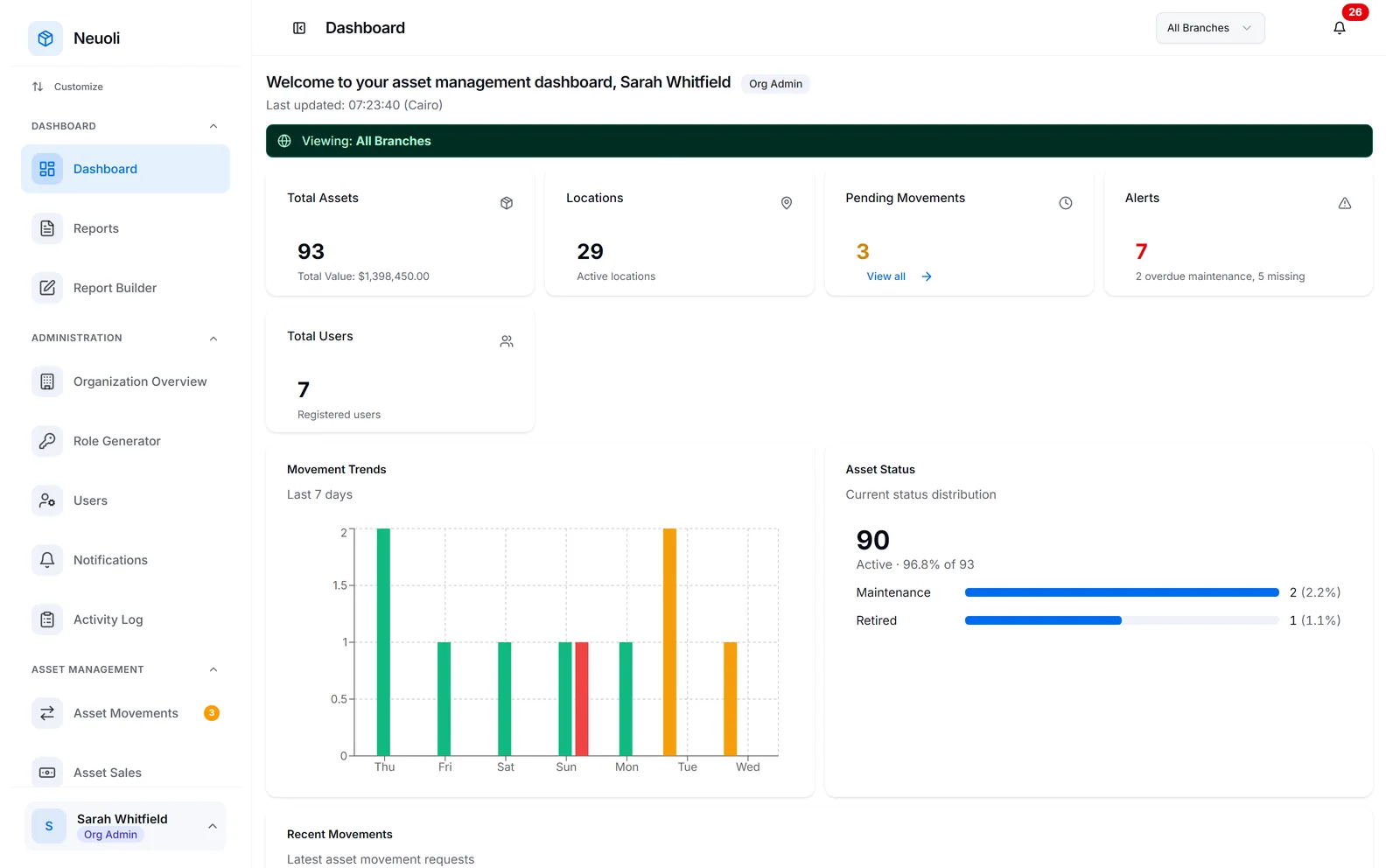
What is an RFID asset inventory?
An asset inventory, or fixed asset count, checks that the assets in your register are really where the register says they are. Most organisations run one at least once a year, usually near the financial year end, and many run more: for internal audit, when a department moves, or as a surprise check.
With a printed list or a barcode scanner, someone has to find each label, scan it, tick it off and move on. Labels behind furniture, inside cabinets or on the back of equipment slow everything down, and a full count can take weeks.
In an RFID asset inventory, each asset carries an RFID tag with a unique number. A UHF RFID handheld reads every tag within range at once, without needing to see the label, including tags inside cabinets and boxes. The person counting walks through the room, and the software compares what was read with what the register says should be there.
That is what RFID inventory asset management means in practice: the count becomes a walk through each location, and the result is a list you can act on, not a stack of ticked pages.
How an RFID walk-round count works
Every location is counted the same way, whether it is an office, a ward, a guest room or a store.
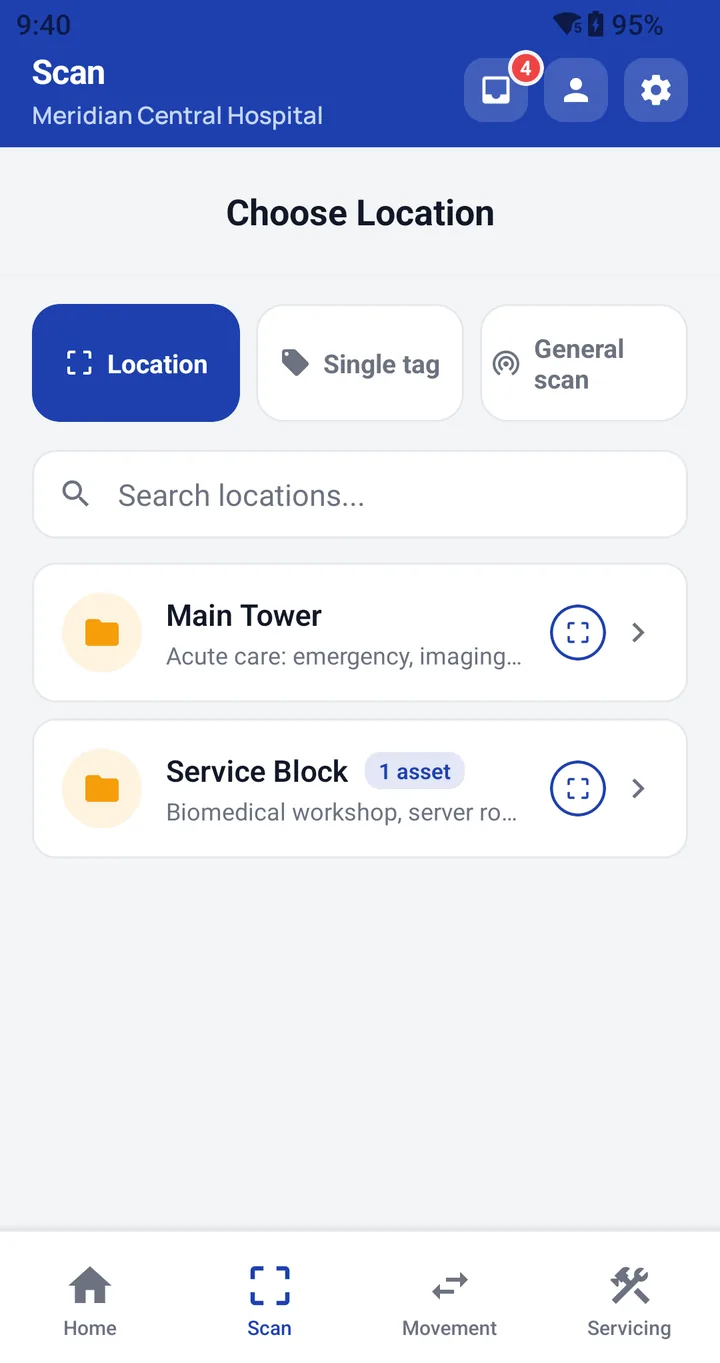
Pick the location
On the handheld, choose the location you are about to count. Neuoli already knows which assets the register places there.
Walk the room
Hold the scan trigger and walk through the room. Every tag in range is read at once, so there is no need to find and point at each label.
See the result
Each asset is marked found, missing or in the wrong location: read here, but registered somewhere else.
From scan results to a corrected register
A count is only useful if the differences are dealt with. In Neuoli, the result of every scan session is the starting point for that work.
- Wrong location: move the asset back, or keep it where it was found, and the register updates.
- Missing: missing reports are raised from the scan and tracked to closure.
- Exceptions: become tasks for the right team, instead of notes in a spreadsheet.
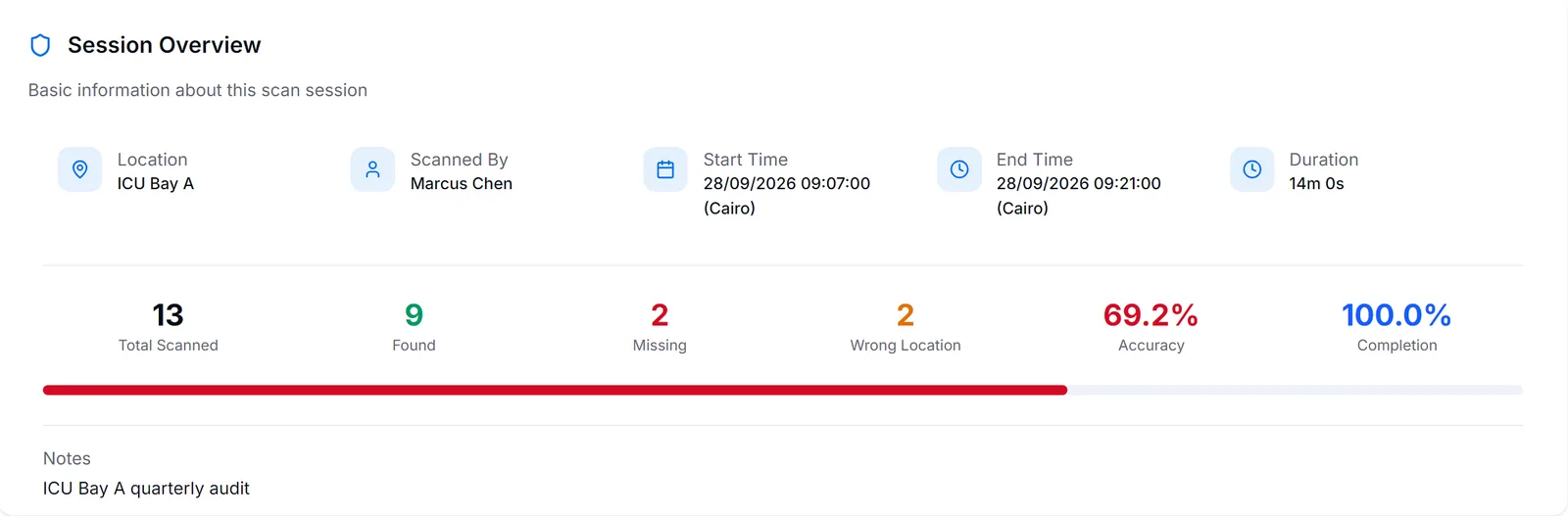
For finance and audit, the scanning and audits report exports to Excel, and the activity log records approvals and movements with who and when. Auditors can see which locations were counted, what was found, and how each difference was resolved. Product screens on this page are from a demo organisation.
How much faster is an RFID count?
A barcode is read one label at a time and needs a line of sight. A UHF RFID handheld reads every tag around it at once. That difference is where the time goes in a fixed asset count.
Source: University of Arkansas RFID Research Center, item-level RFID study, Aug 2009. The study counted retail items; your own speed depends on the rooms, the assets and the tags.
Barcodes and QR codes still have a place. Any Android phone with the Neuoli app can scan them with its camera to look up a single asset. RFID is for counting whole rooms.
RFID inventory management software that starts from your register
You do not need to rebuild your asset list. Upload your existing fixed asset register from Excel. The import wizard previews the sheet and flags missing values, invalid values and duplicates before anything is saved, so errors are fixed before they reach the register.
Then tag each asset once. Tag numbers arrive with your bulk asset upload, so nothing is linked by hand. From then on, the same tag identifies the asset in every count, and when it is moved, lent, repaired, sold or written off.
Choosing tags
The right tag depends on the surface and the life the asset leads: label tags for furniture and fittings, on-metal tags for machines and IT racks, laundry-resistant tags for linen, and rugged tags for harsh areas. Test them on your own assets in a pilot before you tag a whole site. The guide to RFID asset management in Egypt covers tags and handhelds in more detail.
How an annual fixed asset count works with Neuoli
The same routine works for a year-end count, a surprise count or a count before a department moves.
Prepare
Check that branches, departments and locations in Neuoli match the site. Make sure every asset has its tag.
Plan the rounds
Split the locations across your counting team, with enough handhelds to cover your sites in the time you have.
Count
For each location, choose it on the handheld, walk the room and submit the scan session.
Reconcile and report
Resolve wrong-location and missing assets, then export the results to Excel for finance and audit.
After the count, the register keeps working: see the fixed asset management software
What is an RFID asset inventory?
It is a fixed asset count done with RFID tags and a UHF RFID handheld. The handheld reads every tag within range at once, and the software compares what was read with what the register says should be in that location.
What results does a scan give?
For the location you chose, each asset is marked found, missing or in the wrong location. You can move an asset back or keep it where it was found, and missing reports are raised from the scan and tracked to closure.
How much faster is RFID than barcode counting?
In a 2009 item-level study by the University of Arkansas RFID Research Center, RFID counted 4,767 items per hour against 209 with barcodes. That study counted retail items; your own speed depends on your rooms, assets and tags.
Can we import our existing fixed asset register from Excel?
Yes. Upload your Excel sheet, and the import wizard previews it, flags rows with missing or invalid values and duplicates, and lets you fix them before anything is saved.
What hardware do we need?
For RFID counts, Android handhelds with a built-in UHF RFID reader and a scan trigger. Any Android phone with the Neuoli app can scan barcodes and QR codes with its camera, and the web app runs in any modern browser.
Does the handheld work without a connection?
Asset lookups work offline and edits sync automatically when the connection returns. Submitting a completed scan session needs a connection.
Can we export the count results for our auditors?
Yes. The scanning and audits report, like every report in Neuoli, exports to Excel.
See your own assets in Neuoli
Book a live demo, then run a pilot on one site with your own register and a handheld scanner.